How to clip: the whole job, step by step
A 9-minute read. Updated .
To clip for a campaign: pick a campaign and read its rules, get the source video it names, find a moment that works with no context, and cut it from the first word of its strongest line to a full stop. Then reframe it to 9:16 on the person speaking, add captions you've checked by hand and a short hook title, post it on the apps the campaign pays for, and submit the link straight away.
Pick a campaign and read its rules
Start with the money and the rules, before you open a video. Check the rate, where pay starts, the cap and the budget left, then which apps it pays on, which footage it allows and whether it needs its own account. What to look for in a campaign has a 60-second check.
Study what already works
Open the campaign's most-viewed clips and watch the first two seconds of each. Note what they open on, how long they run and how the captions look. Learn the pattern, then pick a different moment: never repost someone else's clip. How to find viral clips.
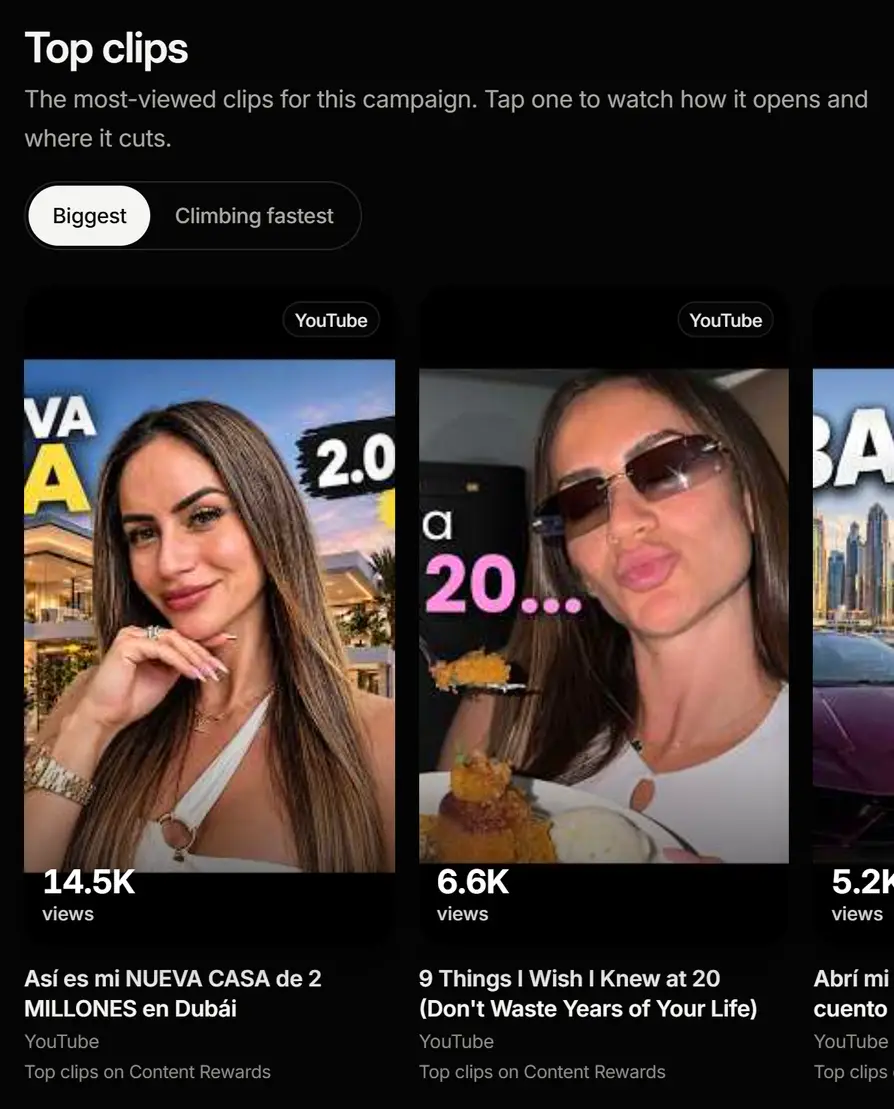
- Biggest or climbing fastest. The biggest show what lasts. The fastest climbers show what works this week.
- Each clip. Tap one to watch how it opens and where it cuts.
Get the source video
Use the source the campaign names: a YouTube video, a stream, or a folder of files it shares after you join. Most are one to three hours long and streams run longer, so expect a big download. If the campaign gives you its own footage, use that and nothing else.
Find a moment that works on its own
This is usually the slow part. A good moment needs no context: a strong claim, a story with an ending, a funny exchange, a name people search. Clippers skim at double speed, read the transcript, look for timestamps in the comments and check YouTube's most-replayed bump. Expect 20 to 60 minutes for a long video.
Cut from the strongest line to a full stop
Open on the line that makes someone stop scrolling, not on the question or the run-up before it. End on a full stop, after the payoff. Never cut a word in half at either end: it sounds broken and reads as low effort to a reviewer.
So what happened after the fight? Clip starts I didn't speak to him for three years. Not one word. And then he called me the night before my wedding. Clip ends Anyway, the next season we...
Example transcript. The question that set it up stays out, the clip starts on the first word of the strongest line, and it ends on a full stop. Frame it for a phone
Reframe to 9:16 with one person centred: whoever is talking. When two people talk, follow the speaker; never leave the frame on the gap between them. Keep faces clear of the captions and of the app's buttons on the right and bottom of the screen.
HookBounty's editor splits each clip into hook, build-up and payoff, and shows every caption word on the timeline. Add captions and a hook
Most people watch with the sound off, so captions carry the clip. Auto-captions get most words right and miss the ones that matter: names, numbers and slang. Read every caption once and fix those by hand. Captions for clips.
Add a short hook title that says what the clip is about, true to what happens in it. How to write a hook. The look is yours to choose. These are the 7 styles HookBounty's AI clipper edits in:
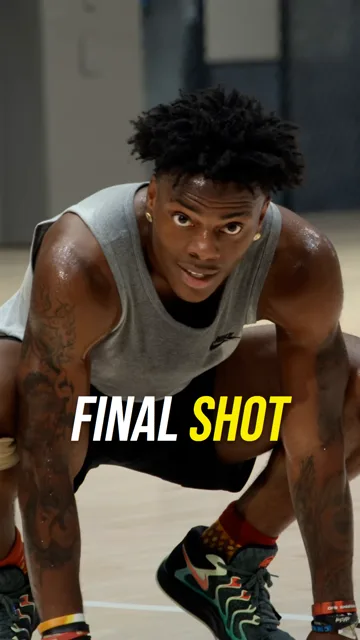 CinemaFull screen, slanted captions, real b-roll
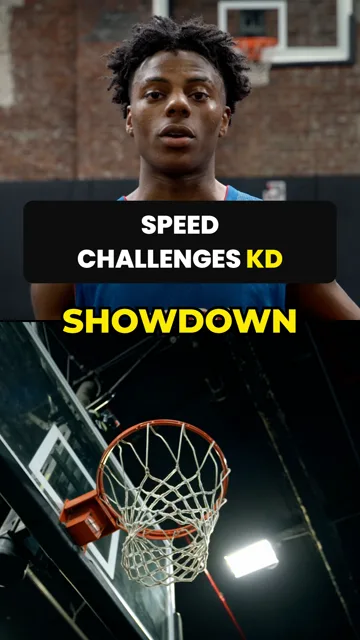 Story splitSpeaker on top, footage below, one word at a time
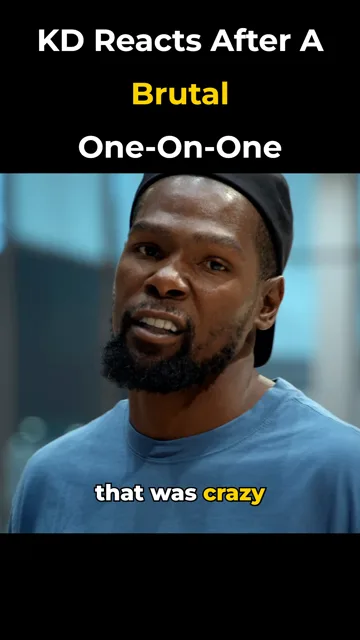 HeadlineFramed speaker under a headline that stays on
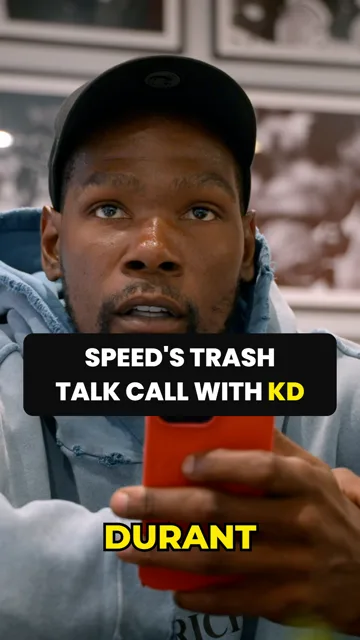 PunchFull screen, one big word at a time, black title box
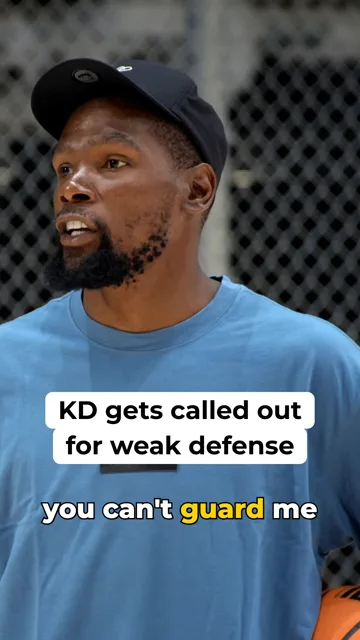 CleanFull screen, calm sentence captions, white title strips
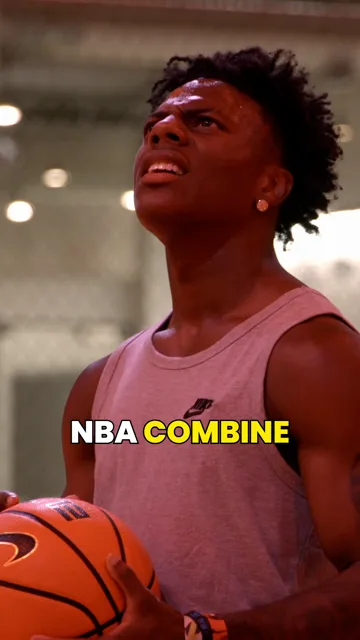 Key wordsFull screen, two words at a time, yellow key word
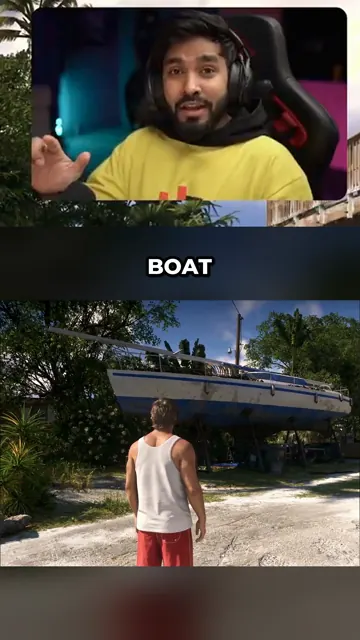 StreamFor gaming streams: the webcam on top, the game below
Post, then submit straight away
Post on the apps the campaign pays for, on a public account that's connected to the campaign's platform. Copy the post's link and submit it on the campaign right away: Content Rewards gives you 30 minutes from posting. Then the campaign reviews the clip. How to join a campaign covers connecting your account.

Questions
How long should a clip be?
As long as the moment needs and no longer. Most campaign clips are well under a minute. Cut anything before the strongest line and anything after the payoff; if the clip still makes sense without a sentence, drop the sentence.
What app should I edit in?
Any editor that can cut, reframe to 9:16 and add captions. CapCut is the free one most clippers use, on a phone or a computer. An AI clipper can do the finding, cutting, framing and captions for you, and you change what you want after.
Can I post the same clip on TikTok, YouTube and Instagram?
Only on the apps the campaign pays for, and check each app's rules on reused content. Posting the exact same file everywhere can look like reposting, so change the hook or the opening where you can.
How do I find a moment nobody else has clipped?
Look past the obvious one. Read the transcript or the comments for timestamps, check which moments already have viral clips, and pick a strong line from later in the video that nobody posted yet.
How we checked this guide. The editing rules are the ones HookBounty's own clips are built on and checked against. Submission windows come from Content Rewards' terms and Clipster's campaign rules, read on November 22, 2026. The transcript lines are an example.
By HookBounty. We never promise views, approval or pay, and no campaign pays us to be listed.