How to make AI clips from a YouTube link
A 4-minute read. Updated .
Paste the video's YouTube link into HookBounty's AI clips page, tick that you're allowed to clip it, pick one of 7 styles and press Get clips. HookBounty reads the whole video, picks the moments that work on their own and edits each into a finished 9:16 clip with captions, a hook title and b-roll, best first. Open any clip in the editor to change it, download it, then post it on your own account and submit it on the campaign's page.
Paste the link
Open AI clips and paste the link. Starting from a campaign is quicker: its Make clips for this campaign button fills in the box and passes the campaign's rules to the AI, so the clips are made with its brief in mind.
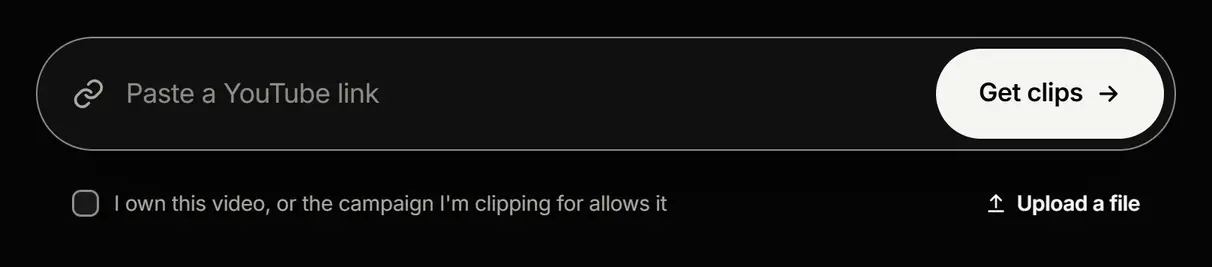
- The link box. Paste a YouTube link here.
- The rights box. Tick it to confirm you own the video or the campaign you're clipping for allows it.
- Upload a file. Use a file from your computer or phone instead of a link.
Pick a style
Each style is a different look: how captions appear, whether there's a hook title, and how the speaker is framed. Pick the one closest to the clips already doing well on the campaign.
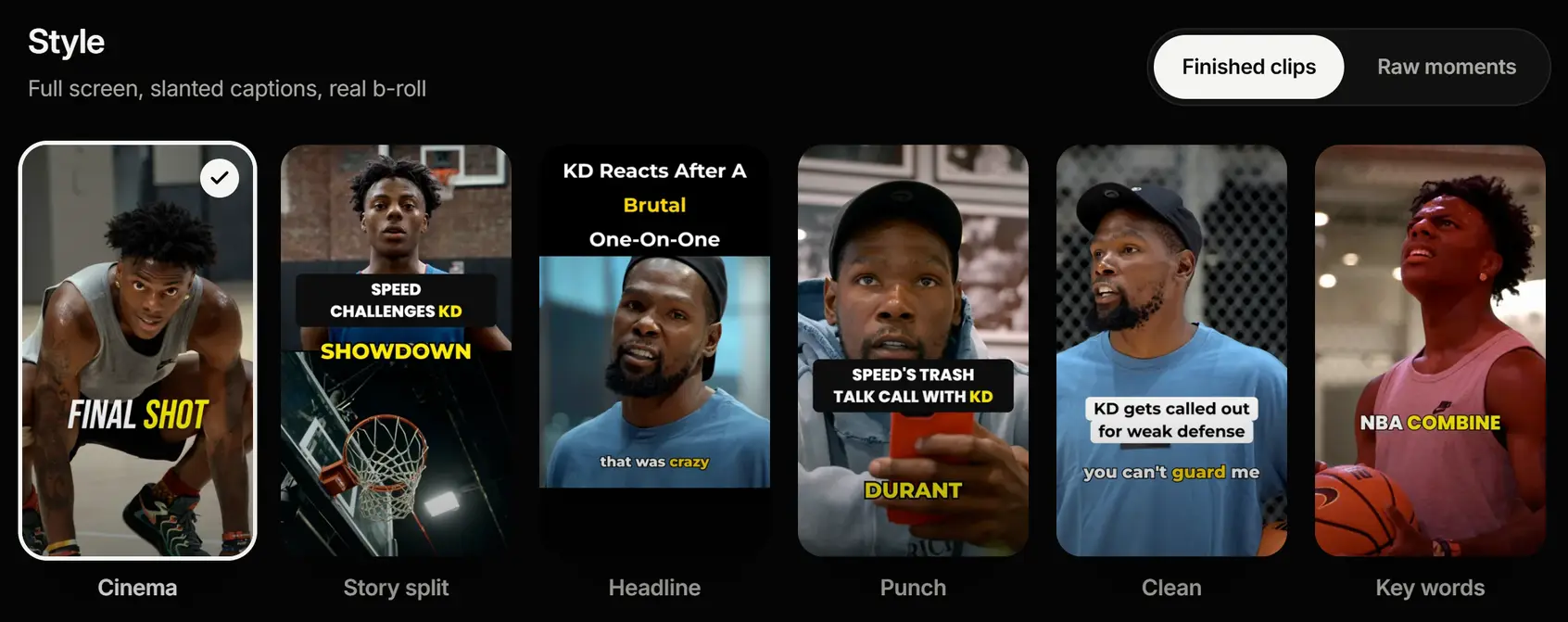
- Finished clips or raw moments. Finished clips come edited. Raw moments are just the cuts, for editing yourself.
- The styles. Tap one. Each is a different caption, hook and framing look.
Let it find the moments
Press Get clips. HookBounty listens to the whole video, ranks the moments that stand on their own (a strong claim, a story with an ending, a funny exchange) and cuts each one on whole sentences, in a pause, so no word is chopped. The best clips come first. A long video takes a few minutes; you can leave the page and come back.
If the video runs longer than HookBounty reads in one go, it asks which part you want: the first, middle or last stretch, or your own times.
Check and change each clip
Watch each clip once with the campaign's brief open. In the editor the clip is split into hook, build-up and payoff. You can move a cut, fix a caption word, rewrite the hook title, swap the b-roll or zoom on a word.
Download, post on your account, submit
Download the clip, or download it for CapCut (the clip without captions, plus a captions file) to finish it there. Post it on the apps the campaign pays for, on a public account connected to the campaign's platform, and submit the link straight away. How to join a campaign covers connecting your account.


Trial and plans
Anyone can try it for free, with a small HookBounty mark, no card. The trial makes 3 clips, with a small HookBounty mark.
Starter is $19 a month for 150 credits a month (about 50 clips, up to 75), in all 7 styles. Pro is $29 a month for 300 credits a month (about 100 clips, up to 150), with footage from YouTube links in the editor. A finished clip uses 2 credits and finding moments 1 per 20 minutes of video.
No tool can promise views or pay, including this one. The campaign decides what it approves.
Questions
Which videos can I use?
Paste a YouTube link, a Google Drive or Dropbox link, or upload the video file (MP4, MOV, WEBM or MKV, up to 2 hours). Twitch, Kick, TikTok, Instagram and X links aren't read yet. Only clip videos you own or that a campaign lets you clip; the box you tick before you start says so.
Does HookBounty post or submit the clips for me?
No. You download each clip, post it on your own account and submit the link on the campaign's platform. No clipping platform lets an outside app submit for you.
Will the clips have a watermark?
Trial clips carry a small HookBounty mark; Starter and Pro clips have none. Some campaigns ban logos, so read the rules before you submit a marked clip.
What if my video is longer than the limit?
HookBounty tells you how long it is and lets you pick the part to clip: the first, middle or last stretch, or your own start and end times. Nothing is used from your plan until you pick.
Can I just get the moments, without the edit?
Yes. Choose Raw moments instead of Finished clips: each moment cut clean on whole sentences, with no captions or effects, and a captions file beside it. It uses 1 credit on Starter and Pro.
How we checked this guide. The screens are HookBounty's live AI clips page, captured on November 23, 2026. Styles, the trial and plan details are read from the code that runs the product, so they change here when they change there.
By HookBounty. We never promise views, approval or pay, and no campaign pays us to be listed.